
Have you ever wished there was a smart helper who could make homework faster, explain difficult math steps, or turn lecture notes into easy‑to‑use study guides? Almost every student is now using AI tools for learning, whether that’s to solve chemistry problems, prepare for exams, create slides, or just make sense of messy notes.
The main reason students use AI is to save time (said by 51% of students), closely followed by improving the quality of their work (50%). So, are you also struggling with last‑minute exam stress, confusing subject material, or spending hours rewriting your notes instead of studying?
Do you wish you had tools that could help with making notes, solving math problems step‑by‑step, learning chemistry in simple language, or preparing for tests more effectively? This blog covers the 5 best AI tools for students in 2025 and how to use them well.
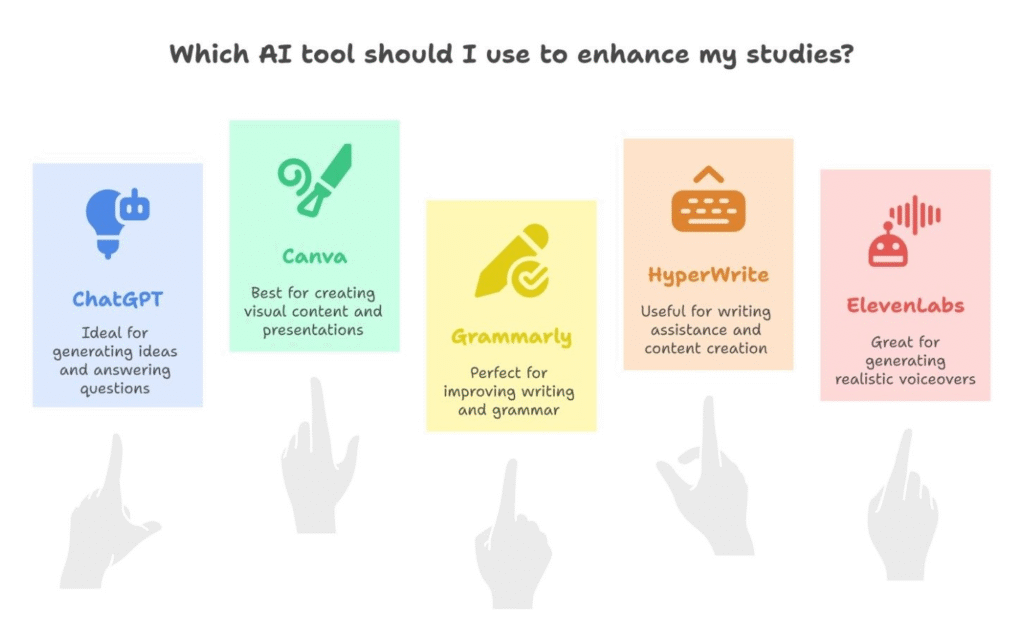
5 Best AI Tools At A Glance (2025)
| SR. NO. | AI Tool | How It Helps You |
| 1. | ChatGPT | You can type questions or even upload your homework pictures. |
| 2. | Canva | Let’s you make school presentations with cool slides, pictures, and colors. |
| 3. | Grammarly | Checks your writing for mistakes and fixes grammar, spelling, and tone. |
| 4. | HyperWrite | Helps you write stories, essays, or paragraphs when you’re stuck or don’t know how to start. |
| 5. | ElevenLabs | Reads your written notes aloud in a human voice. |
Now, let’s understand each tool in detail and how you can use them step by step in your studies.
Top 5 Best AI Tools for Students
So, if you are looking for the smartest way to finish your schoolwork faster and better, here are the top 5 AI tools every student should know in 2025. These tools are made to help with homework, notes, presentations, and more!
Here are the top 5 tools for your study needs:
1. ChatGPT
ChatGPT enables you to obtain your assignment answers quickly and makes complex topics easier to understand in simple terms. You can paste notes, textbook lines, or solutions you’ve found and ask for a step-by-step explanation. You can even upload pictures of textbook questions to get clear answers in easy language.
It can also create quick summaries, practice questions, and short quizzes to help you remember better. You can ask follow-up questions at any time, whether it’s math, chemistry, coding, or writing. It’s like a study buddy that’s always patient and never gets tired.
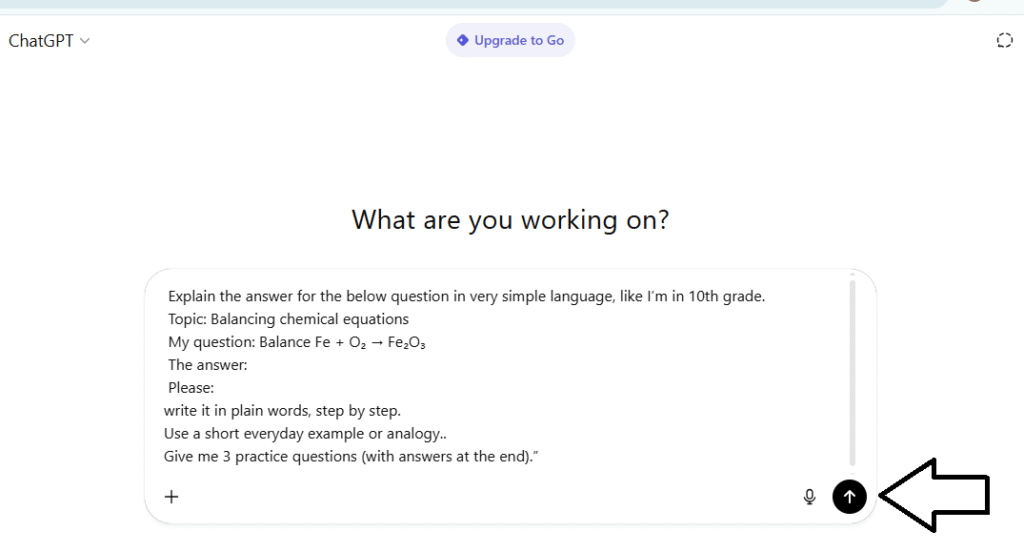
Prompt you can copy (template)
“Explain the answer for the below question in very simple language, like I’m in [your grade].
Topic: [e.g., balancing chemical equations]
My question: [paste question]
The answer:
Please:
- Rewrite it in plain words, step by step.
- Use a short everyday example or analogy..
- Give me 3 practice questions (with answers at the end).”
Suppose you need a solution for a chemistry problem. So, you just log in to the ChatGPT free version in the box “ask anything”, type your question, and ask it to break it down like a teacher explaining to a friend.
How you’d do it (quick steps)
- Copy the question you don’t understand.
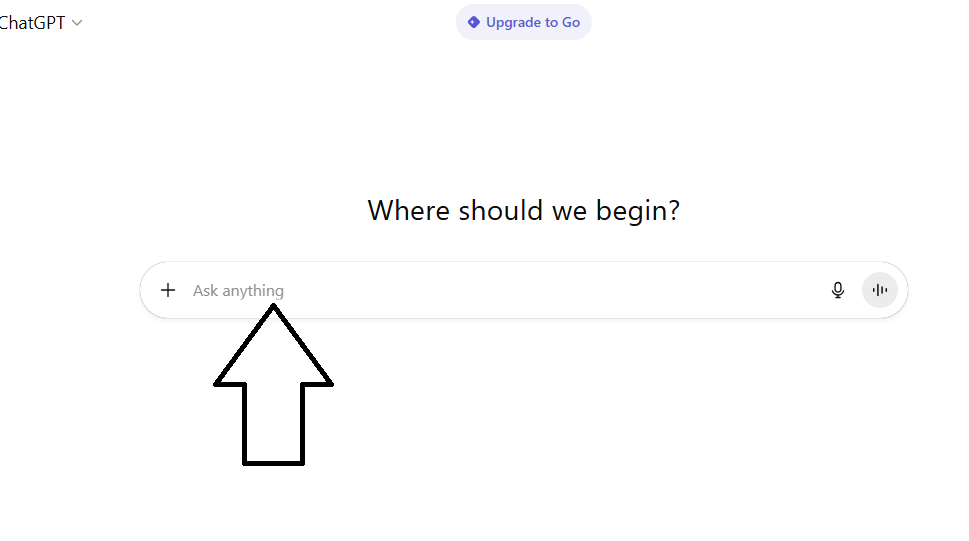
- Paste it into ChatGPT and ask for a simple, step-by-step explanation with a short example and a mini-quiz.
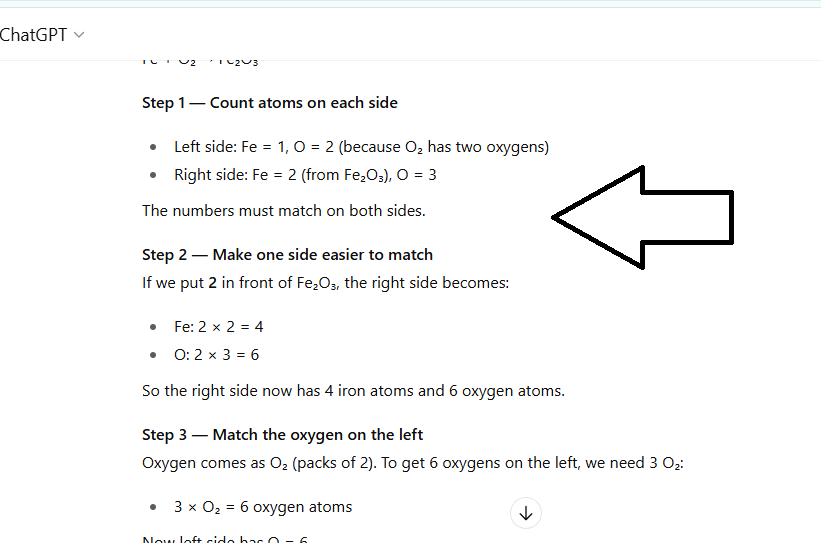
- Here is the answer:
2. HyperWrite
HyperWrite helps you go from a blank page to a clear draft fast. You can brainstorm ideas, build an outline, and then turn that outline into full paragraphs in simple language. It can reword confusing sentences, add examples, and suggest transitions so your essay flows. You can also ask it to explain tough topics (math, chemistry, history) in easy words before you write. Use it as a study coach, then put the result in your own voice.
Suppose your teacher gives you 3–4 topics for essay writing that may come in your exam. Normally, you’d need to spend time searching for material and preparing the essays yourself. But with HyperWrite, you just enter the topic and any extra instructions, and it creates a well-written draft for you. This saves you time and lets you focus on learning the essay instead of spending hours looking for content.
How you’d do it (quick steps)
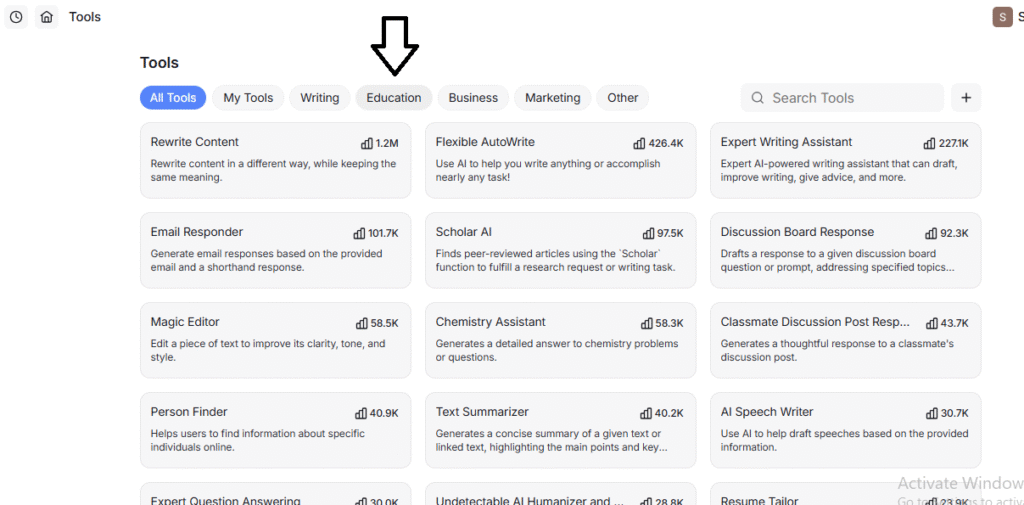
- Open HyperWrite, sign up, and in tools, click on education.
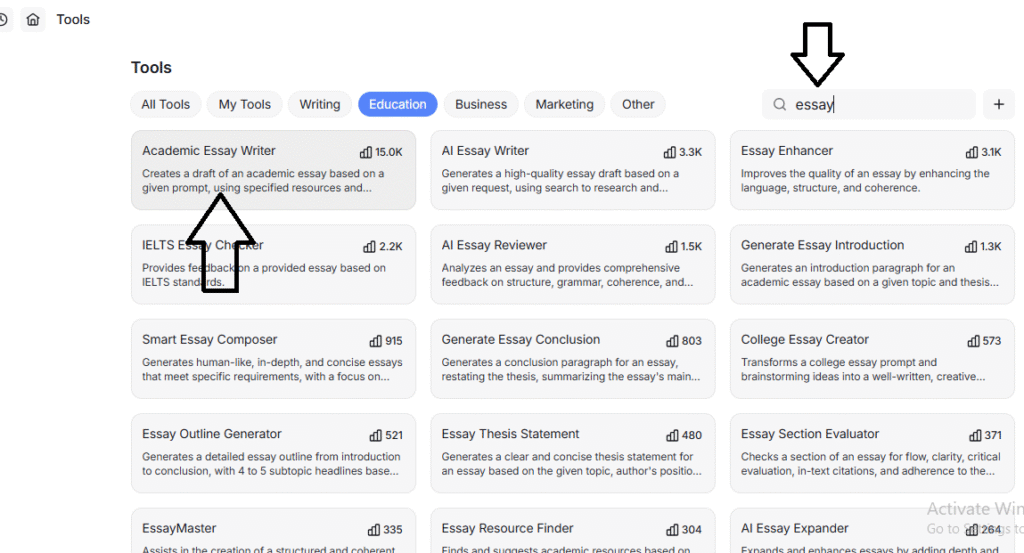
- In the search bar, type “Essay” and click on “Academic Essay Writer”.
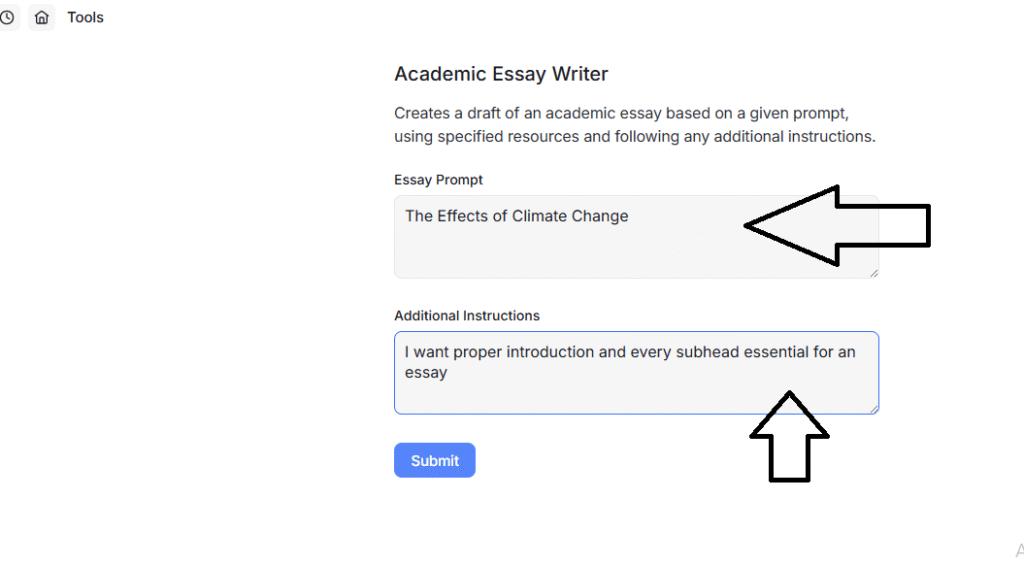
- Type your topic in “Essay Prompt” and give instructions in “Additional Instructions”.
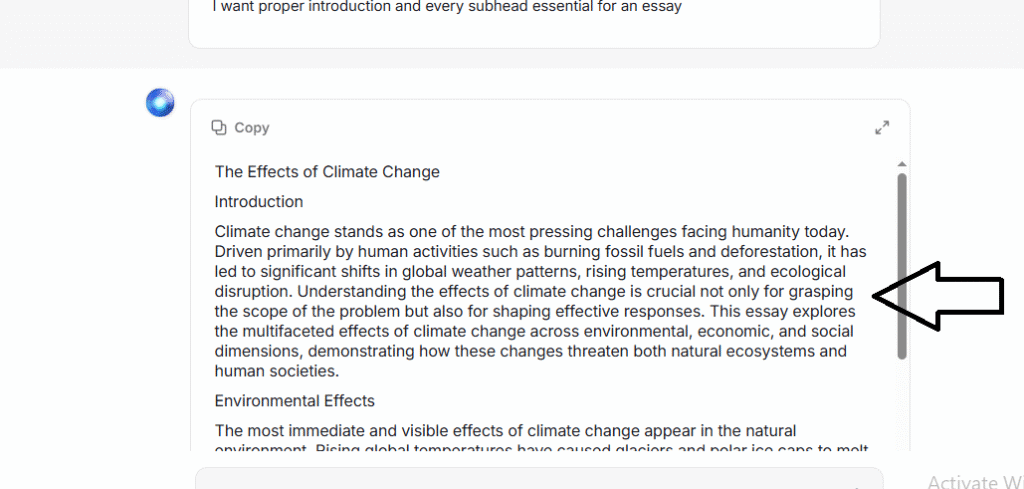
- Here is the complete essay based on your topic and instructions:
3. Canva
Canva lets you make neat slides quickly, even if you’re not good at design. It gives you ready templates, fonts, icons, and images for any subject. Its AI tools, like Magic Design and Magic Write, help with layouts and draft text. You can also work with classmates in real time, making it useful for school projects, reviews, and seminars.
Suppose you have a presentation due and don’t have time to design. Canva makes it easy. Just type your topic, pick a style, and get clean, ready slides in seconds. With its templates and AI tools, you can turn ideas into a clear, professional deck without struggling to match colors or designs.
How you’d do it (quick steps)
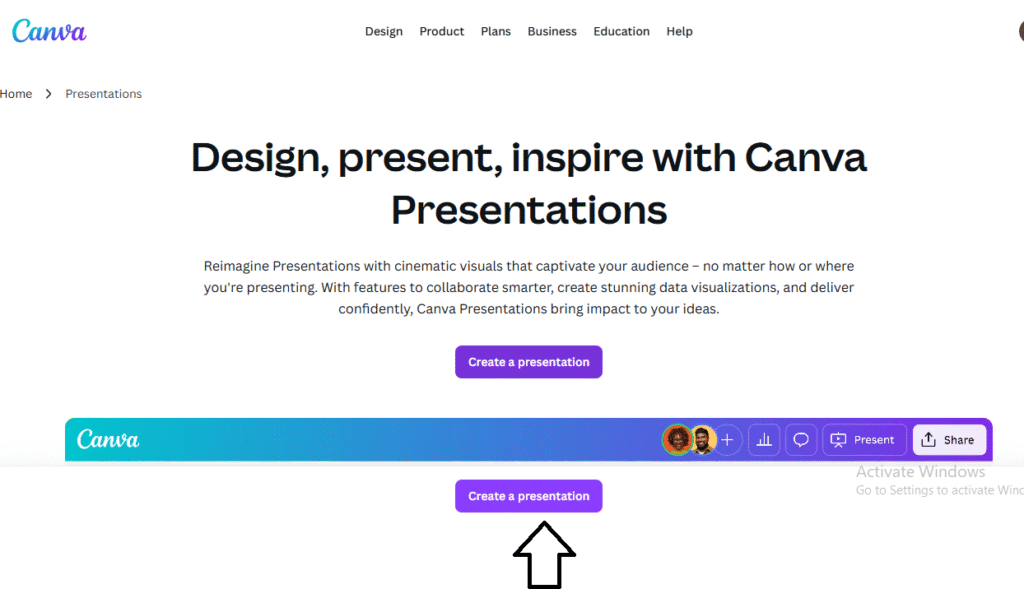
- Open Canva and click on “Create a Presentation”.
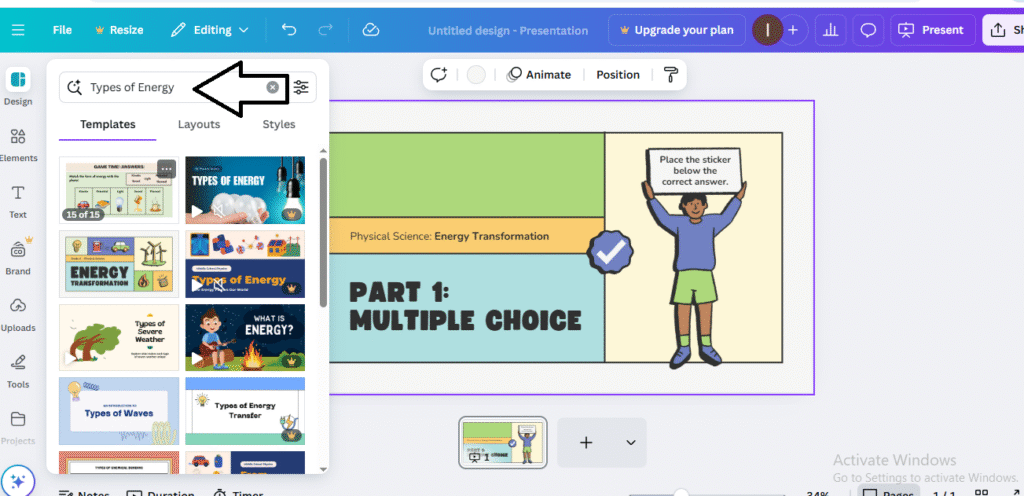
- In the search bar, type your topic (e.g., “Types of Energy”). Browse the templates Canva shows and pick the one that fits your style or subject.
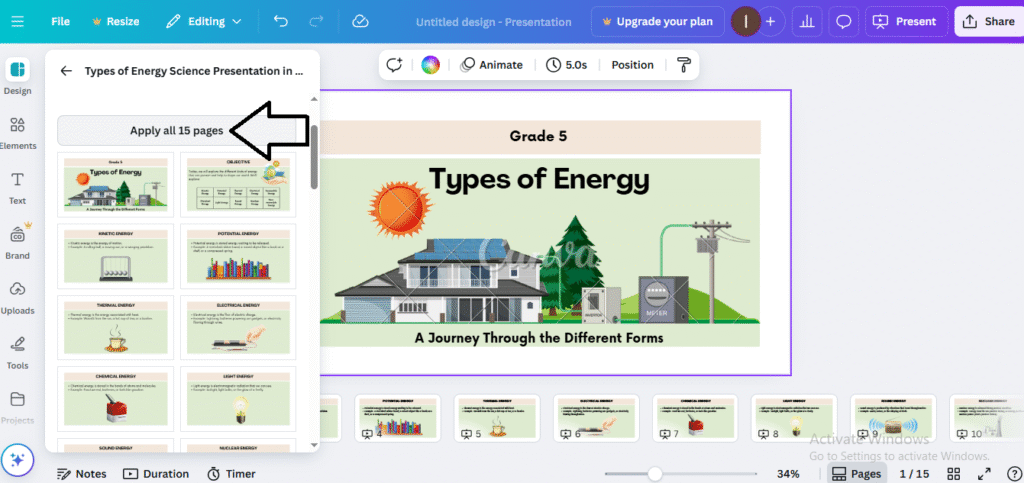
- Click on any template and preview all slides. If they look good, click “Apply all 15 pages.” (To edit a single slide, just click that slide and make your changes: title, text, images, charts.)
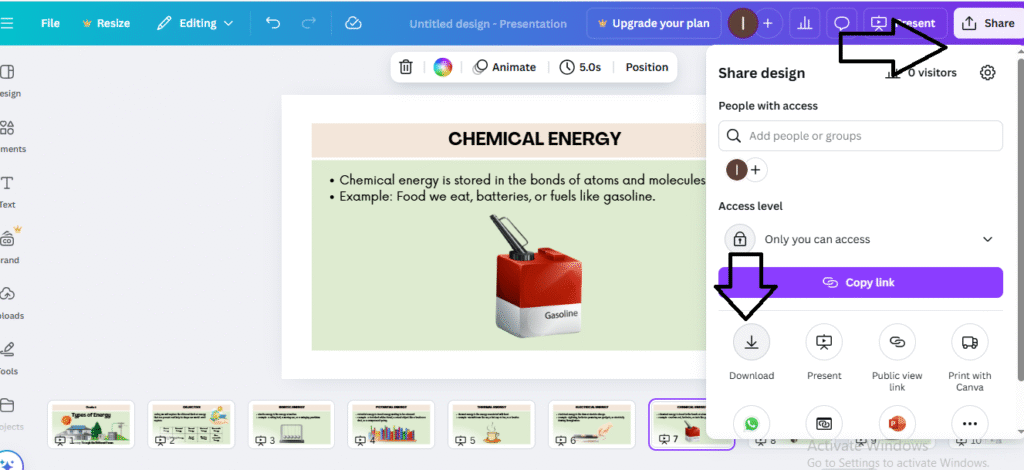
- When you’re done, click Share → Download, choose PDF, and save. You can also save a “Microsoft PowerPoint” document directly.
4. Grammarly
Grammarly helps you turn rough text into clear, correct, and easy-to-read lines. It fixes spelling and grammar, shortens long sentences, and suggests a better tone for school work. You can use it for presentations, essays, and emails, so you sound confident and academic. It works in your browser and inside tools like Google Docs and Microsoft Word, so you can edit as you write.
Suppose your essay has small grammar errors and confusing lines. Run a full check, then ask Grammarly AI to rewrite a paragraph in simple, student-friendly words.
How you’d do it (quick steps)
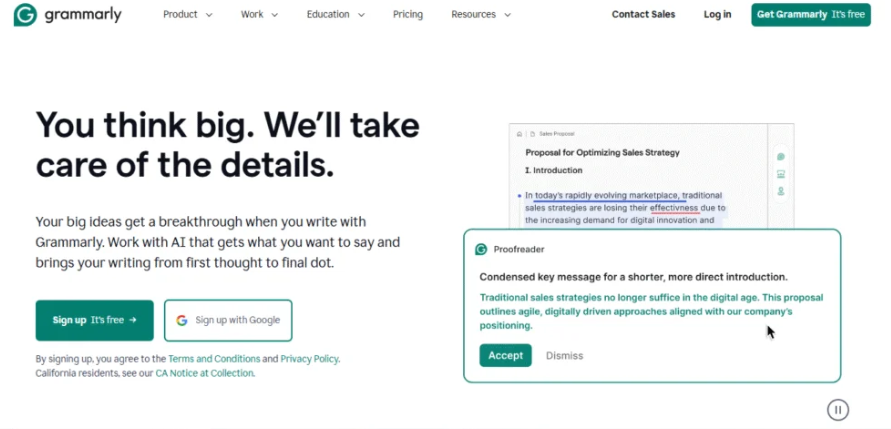
- Sign up for Grammarly (free) or log in if you already have an account. Add the browser extension or use the desktop app.
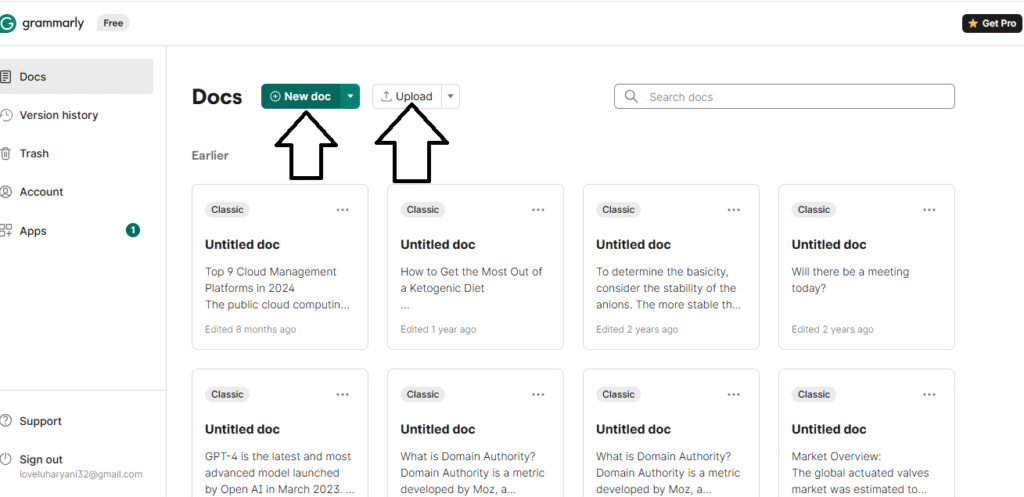
- You can upload your file (Google Docs/Word) by clicking on “UPLOAD,” or you can click on the new doc to paste your rough text or essay paragraph.
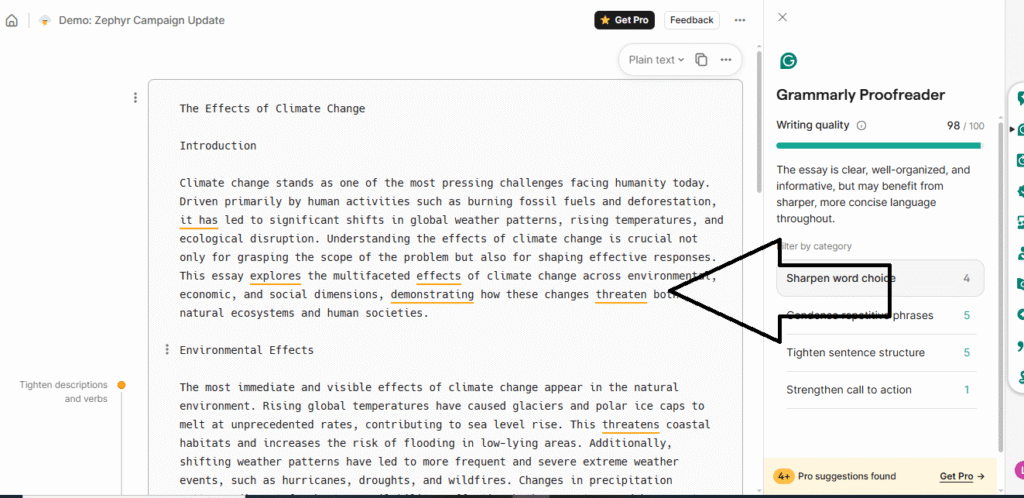
- Accept basic fixes (spelling, punctuation, grammar). Click the Tone/Clarity/ Conciseness suggestions to make lines shorter and easier to read.
5. ElevenLabs
ElevenLabs turns your written notes into a natural-sounding voiceover for class presentations. Suppose you’re nervous about speaking. Let this tool narrate your slides, allowing you to focus on eye contact and timing.
You can choose clear voices (different accents, male/female) so your slides sound professional. It helps if you’re shy, short on time, or want consistent pronunciation for science terms. You can slow the speech for better understanding or make a quick multilingual version. Export the audio and drop it into Canva, PowerPoint, or Google Slides in seconds.
How you’d do it (quick steps)
- Open ElevenLabs, sign in, and go to Text to Speech.
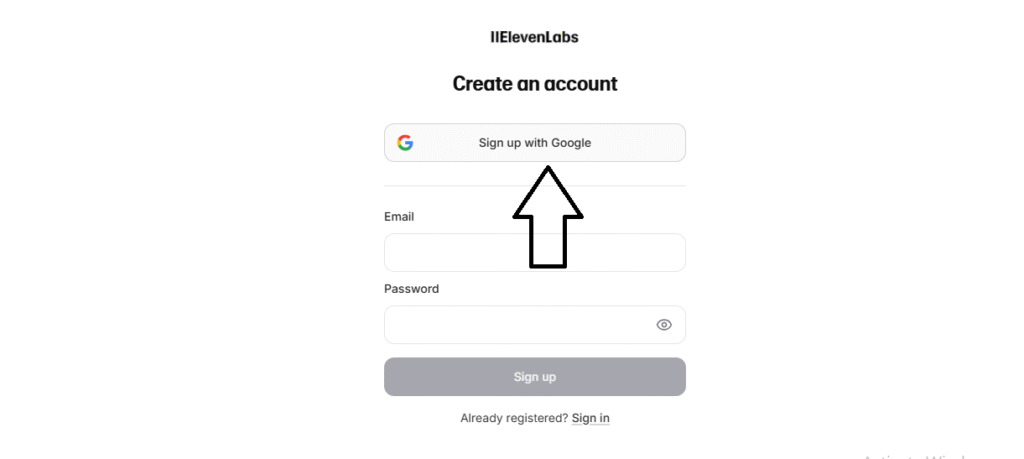
- Now, just copy and paste your content here.
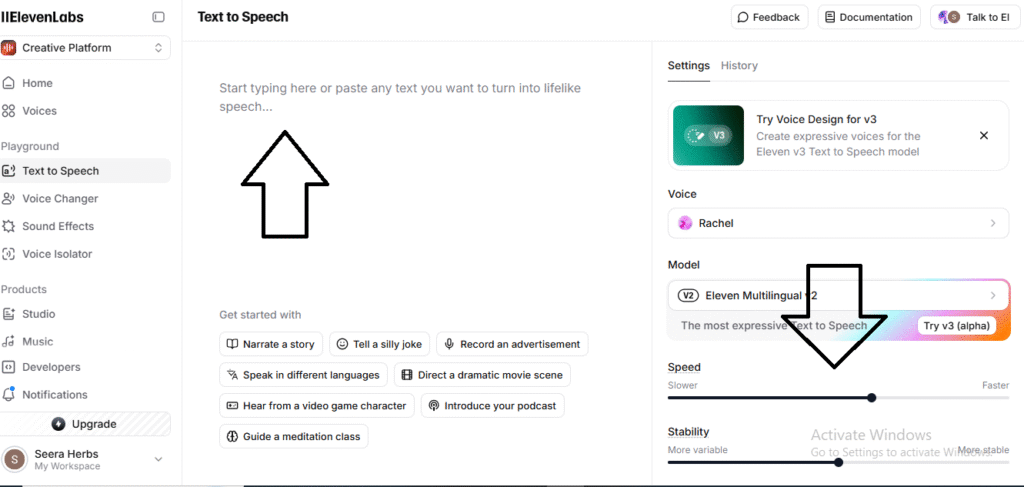
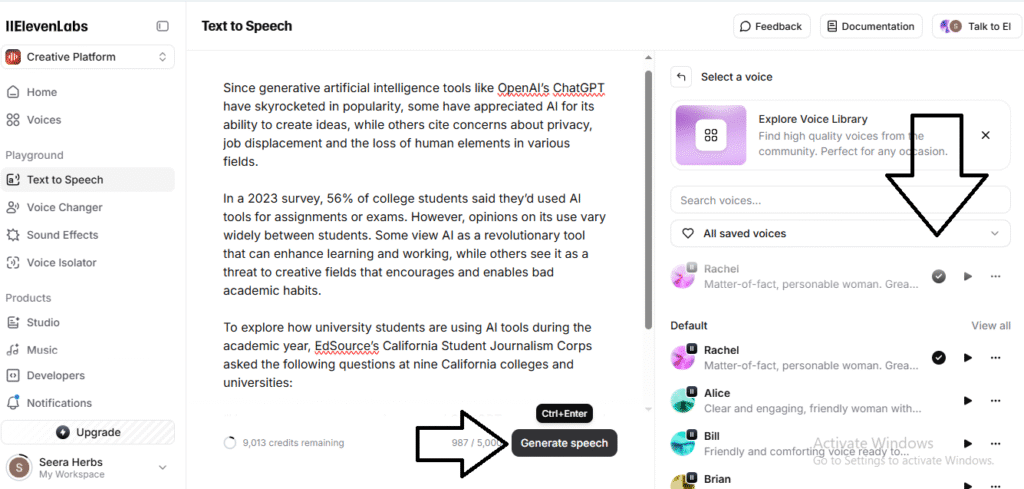
- Select the voice from the voice library and just click on generate speech.
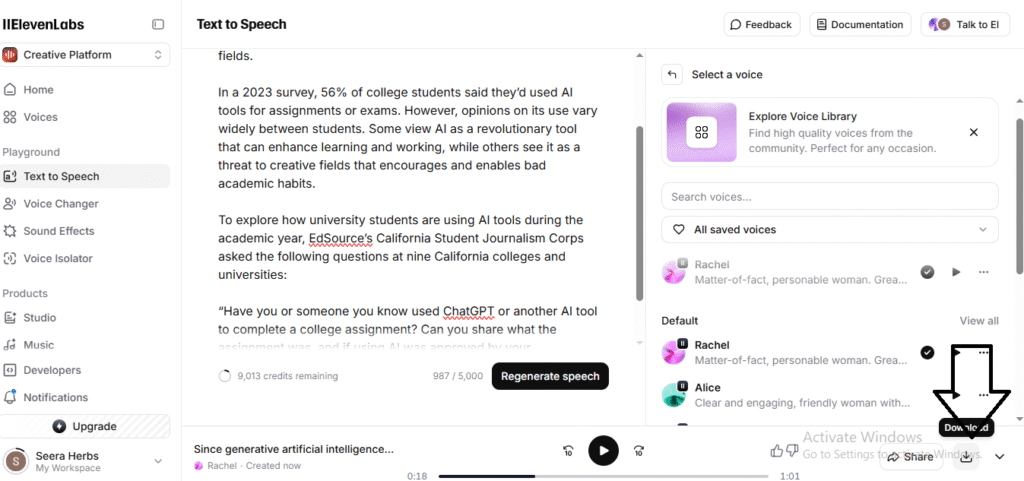
- Once your text is converted into speech, click on “Download” and your audio is ready to upload to Canva or Microsoft Slides.
Now that you’ve seen the top tools, let’s quickly learn how to pick the right one for your study needs.
How to Choose the Best AI Tool
If you’re trying to decide which AI tool to use for school, don’t just pick the first one you see. Different tools are made for different learning tasks. Here’s a simple 3-step method to help you choose the right AI tool for your needs, whether it’s completing homework, preparing for exams, making notes, solving math problems, or understanding chemistry in easy language:
1. Match the Job
Ask yourself: What do I need help with right now? Each tool is designed to solve a specific problem. Pick the one that fits your current task.
- For fixing grammar ➜ Try Grammarly
- For writing essays➜ Try HyperWrite
- For turning notes into voiceover ➜ Use ElevenLabs
- For designing a presentation ➜ Use Canva
- For solving any subject problems ➜ Use ChatGPT
2. Check Learning Transparency
Ask: Does the tool explain things clearly or just give final answers?
Good AI tools don’t just show results; they help you learn:
- Do they explain step-by-step?
- Can you ask follow-up questions?
- Do they cite sources or offer definitions?
Choose tools that teach you the why and how. Avoid tools that give you the answer without explanation (especially if it’s for assignments).
3. Confirm Policy & Privacy
Before using any AI tool for school work:
- Check your school/college rules about AI (some allow it with citation, some don’t).
- Make sure your personal data isn’t stored or shared by the tool.
- Some tools are built for students and follow strict privacy rules.
Even if an AI tool helps you draft something, read everything very properly. This shows your understanding. Use AI as a helper, not a shortcut.
Conclusion
The world of learning is changing fast, and AI tools are now essential study partners for students. These tools can help you complete assignments, prepare for exams, create presentations, improve writing, and understand tough subjects like chemistry and math. From ChatGPT and Canva to Grammarly and ElevenLabs, each tool serves a unique purpose and can save you time while improving your work quality.
So, are you ready to level up your study game? Don’t wait; save time, study smarter, and get better results starting now.
Click here to explore and start using the top AI tools for students today!
FAQs
- Do I need to pay to use these AI tools?
Some features are free; others cost money. Free versions usually cover the basics. Paid (premium) versions give more templates, more voices, or no limits. Choose based on what you need.
- Is my data safe with these tools?
For most good AI tools, yes, if you use official apps/sites and read their privacy terms. Don’t share very personal info. If you’re under 18, ask a parent or teacher first.
- Can AI do all subjects?
Many of these tools support many subjects. Some are better at science/math (step‐by‐step), others are better at writing or design. Pick the tool made for your subject.